CK444 Login: Full Access Guide for Bangladesh Players

Logging into CK444 takes under 30 seconds - but knowing exactly where the button is, what to do if your password fails, and how to stay secure makes the difference between a smooth session and a frustrating one. This guide covers every step: the login form, social sign-in options, mobile app access, password recovery, and how to protect your account after you sign in.

What Login Gives You Access To

Your CK444 account holds everything: balance in BDT, bet history, active bonuses, pending withdrawals, VIP level status, and your linked bKash or Nagad wallet. Without signing in, none of that is reachable. The login step is also where the platform confirms your identity before any financial transaction - deposit or withdrawal both require an active authenticated session.

CK444 stores balances in Bangladeshi Taka (BDT) and connects to local mobile wallets. Every time you sign in, the system loads your current balance, active coupon codes, and any reward center notifications. If you have an unread Red Envelope or a rebate ready to claim, you will see the badge on the reward icon the moment you log in.

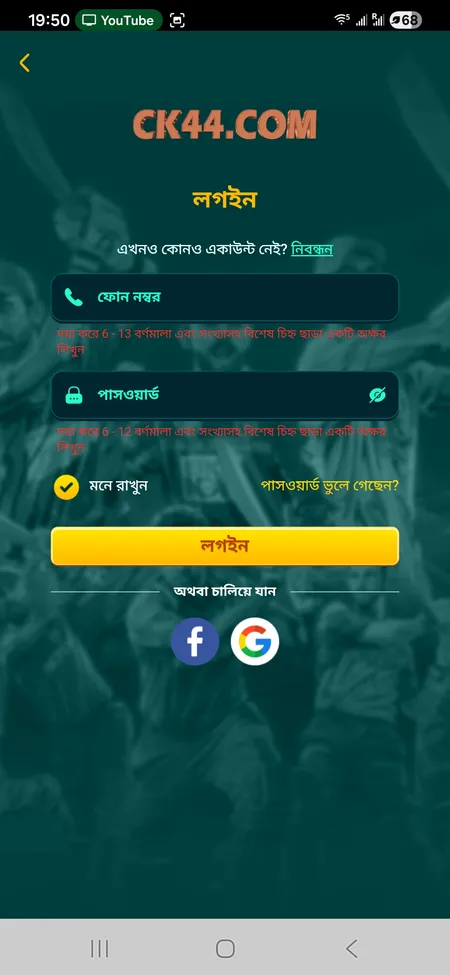
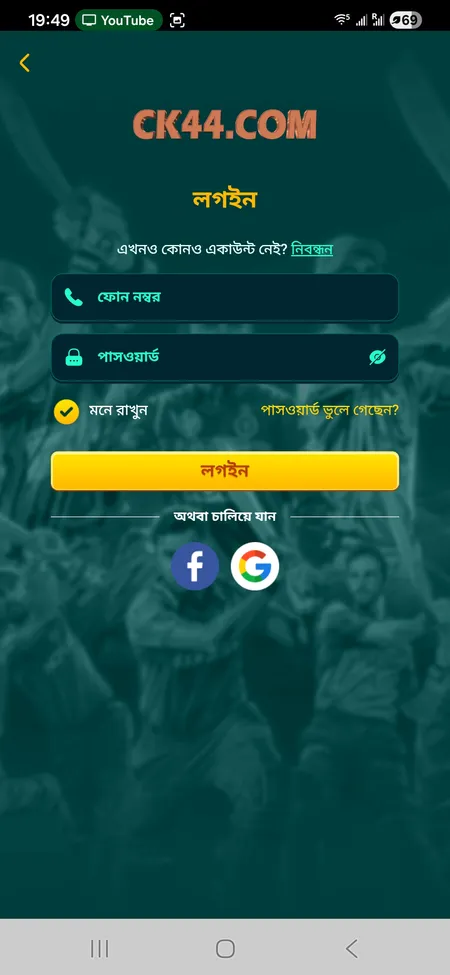
CK444 login form with phone and password fields

The standard CK444 login screen: phone number field (6-13 digits), password field, Remember Me toggle, Forgot Password link, and buttons for Facebook and Google sign-in.

Login Options Available on CK444

CK444 supports three ways to sign in:

Method What You Need
Phone + Password 11-digit BD mobile number and 6-12 character password
Facebook Linked Facebook account (OAuth)
Google Linked Google account (OAuth)

The phone-and-password method is the primary route used by most players in Bangladesh. Facebook and Google login are useful if you registered through social sign-in and prefer to skip typing a password each time. All three methods land you on the same account dashboard with full access to games, payments, and promotions.

Go to CK444 Login Page

Where to Find the Login Button

On the desktop and mobile browser version of CK444, the Login button sits in the top-right corner of the header, next to the Register button. The header is visible on every page of the site, so you never need to navigate to a specific URL to find it.

On the mobile app (Android APK or iOS PWA), the login screen appears automatically when you open the app without an active session. If you previously checked 'Remember Me', the app skips straight to your dashboard.

The side menu (hamburger icon) also contains a shortcut to the login screen if the header button is not immediately visible on a smaller screen.

How to Sign In: Step by Step

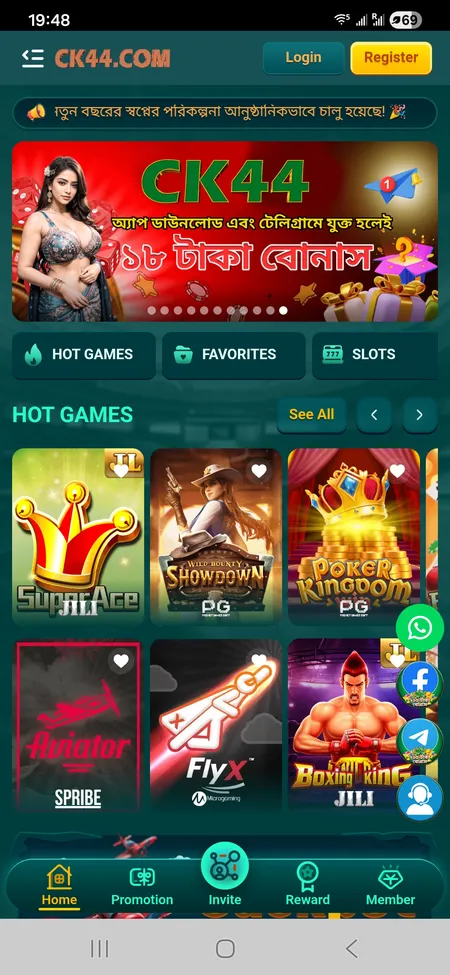
  1. CK444 home screen with Login button visible

    Open the CK444 website or launch the mobile app. Find the Login button in the top-right corner of the header.

  2. CK444 login form open on mobile

    Enter your 11-digit Bangladeshi mobile number in the phone field and your 6-12 character password. Tick Remember Me if you are on a personal device.

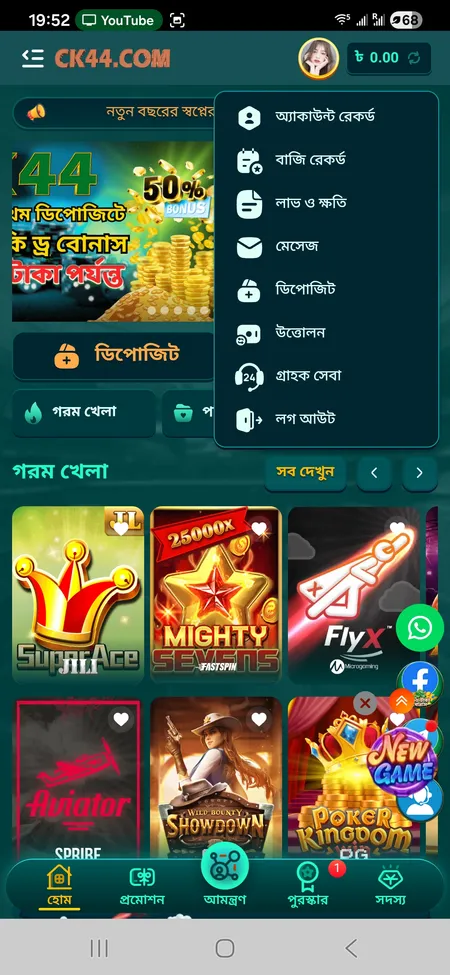
  3. CK444 account menu after successful login

    Tap the Login button. The page loads your dashboard with balance, active bonuses, and navigation to games, deposits, and withdrawals.

Login to CK444

Logging In via the Mobile App

The CK444 Android APK (approximately 25 MB) and the iOS PWA offer the same login interface as the browser version. The difference is convenience: the app can store your session persistently, meaning you stay signed in between sessions unless you manually log out or clear app data.

On Android, after installing the APK from the official CK444 download page, open the app and tap the Login button on the welcome screen. Enter your phone number and password. Some devices support fingerprint or Face ID login if this is enabled in your account settings.

On iOS, add the CK444 site to your home screen via Safari (PWA method). The shortcut opens the site in a full-screen session. The login process is identical to the browser version, but the experience feels more like a native app.

If your session expires, the app returns you to the login screen automatically. This happens after extended inactivity or if you explicitly log out from the profile menu.

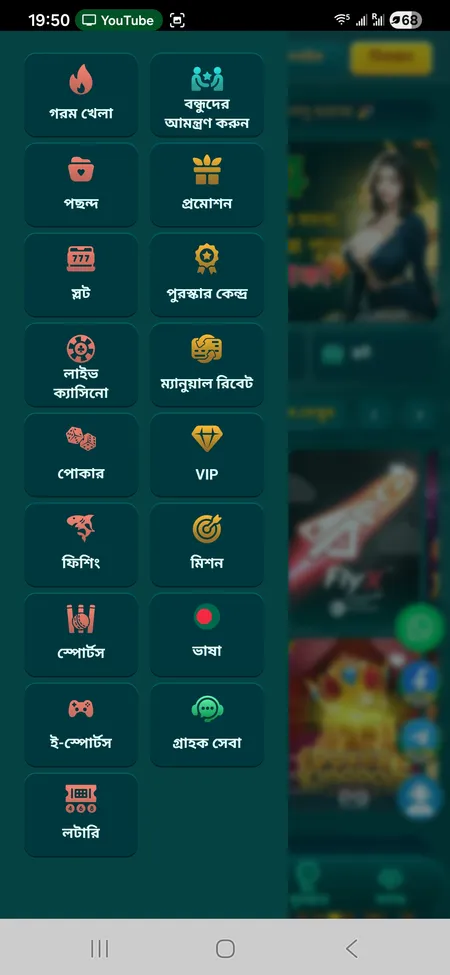
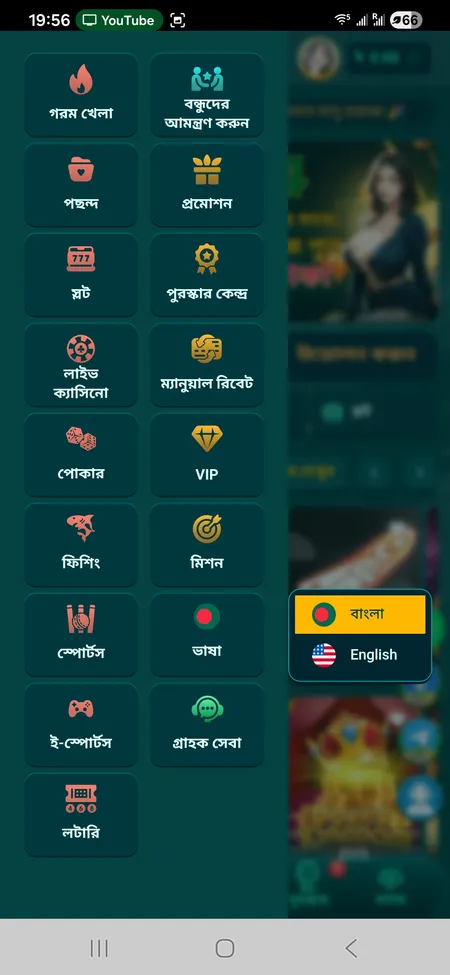
CK444 side menu on Android app

Android Login

Install the CK444 APK from the official site. Open the app, tap Login, enter your phone number and password. The Remember Me option keeps you signed in. Optional: enable biometric login in device settings.

CK444 language and menu settings on iOS

iOS Login (PWA)

Open CK444 in Safari, tap Share and select Add to Home Screen. Launch the shortcut and tap Login. Enter credentials as normal. The session persists until you log out or clear browser data.

Password Recovery: What to Do If You Cannot Log In

If you have forgotten your CK444 password, the fastest route is the 'Forgot Password?' link on the login screen. Tap it and follow the steps to reset access via your registered phone number.

CK444 support is available 24/7 in Bengali and English. If the self-service reset does not work - for example if your registered number has changed - contact the support team directly via live chat on the site, Telegram (https://t.me/Ck44Ofc), or WhatsApp. They can verify your identity and restore access within minutes.

Password rules on CK444: 6 to 12 characters, a mix of letters and numbers. Avoid simple sequences like '123456' or 'password1' - these are the first combinations bad actors try.

CK444 support operates around the clock and can restore account access within 2-5 minutes according to the platform's published service times. Reach them via live chat, Telegram, WhatsApp, or Facebook.

Common Login Problems and How to Fix Them

Most failed logins come down to a small number of causes:

  • Wrong number format - CK444 requires 6-13 characters in the phone field. Make sure you enter digits only, without country code prefixes like +880.
  • Caps Lock active - Passwords on CK444 are case-sensitive. Check that Caps Lock is off before typing.
  • Old app version - If you are using an outdated APK, the login form may not function correctly. Download the latest version from the CK444 app page.
  • Unstable connection - A weak mobile data signal can cause the login request to time out. Switch to Wi-Fi or a stronger signal and try again.
  • Account temporarily locked - Multiple failed login attempts may trigger a temporary lock. Wait a few minutes or contact support to unlock.
  • Session conflict - If you are already logged in on another device, logging in from a new device will end the previous session.
Open CK444 and Sign In

Staying Secure After You Log In

CK444 uses SSL encryption on all pages, including the login and payment screens. That protects your credentials in transit. But account security also depends on what you do after signing in:

Good Practice Why It Matters
Use a unique password not shared with other sites Prevents credential stuffing attacks
Avoid logging in on public Wi-Fi Open networks can expose session data
Log out when using a shared device Prevents unauthorized access to your balance
Never share your password via Telegram or WhatsApp CK444 staff never ask for passwords
Deposit only through the official CK444 interface Scammers pose as CK444 agents on social media

CK444 also warns players explicitly: the platform never requests deposits through Telegram or Facebook from third-party agents. All deposits must go through the authenticated deposit form inside your account.

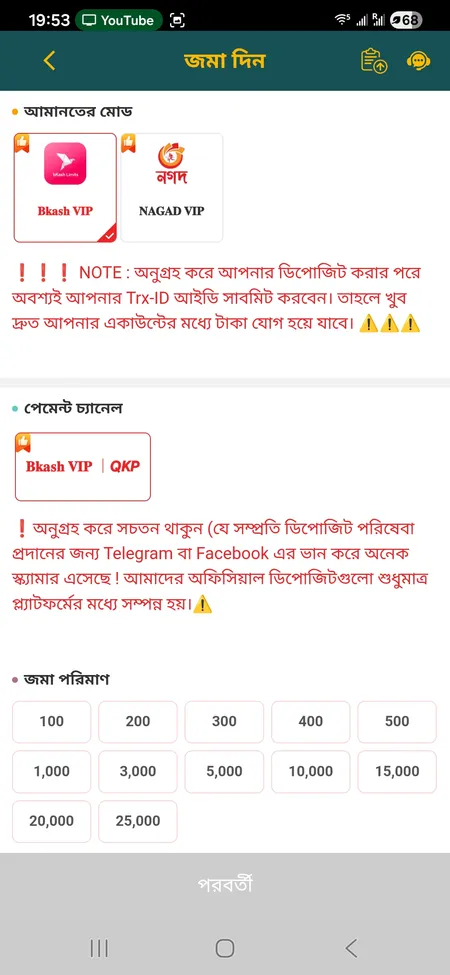
CK444 deposit form accessible after login

After logging in, the Deposit section shows bKash VIP and Nagad VIP channels. The Trx-ID field is mandatory - without it the deposit cannot be confirmed.

What You Can Do Immediately After Logging In

Once inside your CK444 account, the main dashboard gives you direct access to:

  • Balance - displayed in BDT in the header
  • Deposit - bKash VIP, Nagad VIP, Rocket channels (minimum 100 TK)
  • Withdrawal - linked bKash or Nagad e-wallet (100-25,000 TK per transaction)
  • Reward Center - active coupons, spin wheel tickets, rebate claims
  • VIP status - current level and progress toward next tier
  • Bet history and profit/loss - full transaction record
  • Support - live chat shortcut labeled 'Support (24)'

New players who have just registered should also complete the welcome bonus activation: the 50% first deposit bonus (up to 5,000 TK) is available immediately after your first login and top-up. Visit the CK444 registration guide to understand the full onboarding sequence.

For live betting access - cricket, football, kabaddi, and e-sports - head to the Sports section directly from the bottom navigation bar after logging in. The CK444 live betting section updates odds in real time during matches.

CK444 is intended for players aged 18 and above. The platform operates under registration number BD-GAME-2020-CK44. Online gambling regulations in Bangladesh are subject to legal review - play responsibly and be aware of local rules.

FAQ: CK444 Login

What phone number format does CK444 accept for login?

Enter your Bangladeshi mobile number without the country code. The field accepts 6 to 13 characters. Most BD numbers are 11 digits - enter them exactly as registered, digits only.

Can I log in with Facebook or Google?

Yes. The CK444 login screen has dedicated buttons for Facebook and Google sign-in. This works if you originally registered using one of those methods. Standard phone-and-password login is always available as a fallback.

I forgot my password. How do I recover it?

Tap 'Forgot Password?' on the login screen and follow the phone-based reset steps. If you cannot complete self-service recovery, contact CK444 support via live chat, Telegram, or WhatsApp. Support operates 24/7 in Bengali and English.

Why does my login keep failing even with the correct password?

Check for Caps Lock, verify your phone number format, and make sure you are using the latest version of the app or a supported browser. If the problem continues, contact support - temporary locks are lifted quickly.

Does CK444 keep me logged in between sessions?

Yes, if you select 'Remember Me' on the login form. On the Android app, the session persists until you log out manually or uninstall the app. Clearing browser cache will end a browser session.

Can I log in on multiple devices at once?

Logging in on a new device ends the session on the previous one. CK444 does not support simultaneous active sessions on multiple devices.

Is the CK444 login page secure?

Yes. The login form is protected by SSL encryption. Your credentials are never transmitted in plain text. The platform also warns against phishing - CK444 staff will never ask for your password.

How do I log out of CK444?

Open the profile menu from the header (your account icon), scroll to the bottom and tap 'Logout'. This ends your session on the current device immediately.

What do I do after logging in for the first time?

Activate your welcome bonus (50% on first deposit, up to 5,000 TK) by going to Promotions and selecting the first-deposit offer before making your top-up. Then navigate to Deposit and choose your preferred channel - bKash VIP or Nagad VIP.

I am locked out and support is not responding instantly. What should I do?

Try all available support channels: live chat on the site, Telegram at https://t.me/Ck44Ofc, WhatsApp, and Facebook. CK444 publishes response times of 2-5 minutes. If one channel is busy, another is likely to respond faster.

Ready to play? Sign into your CK444 account and access slots, live casino, sports betting, and local payment options in BDT.